Thinking tool · Read · Understand
Tabulect
A thinking tool for reading closely and understanding what you read.
Free · MIT-licensed open source · source on GitHub
What makes Tabulect different
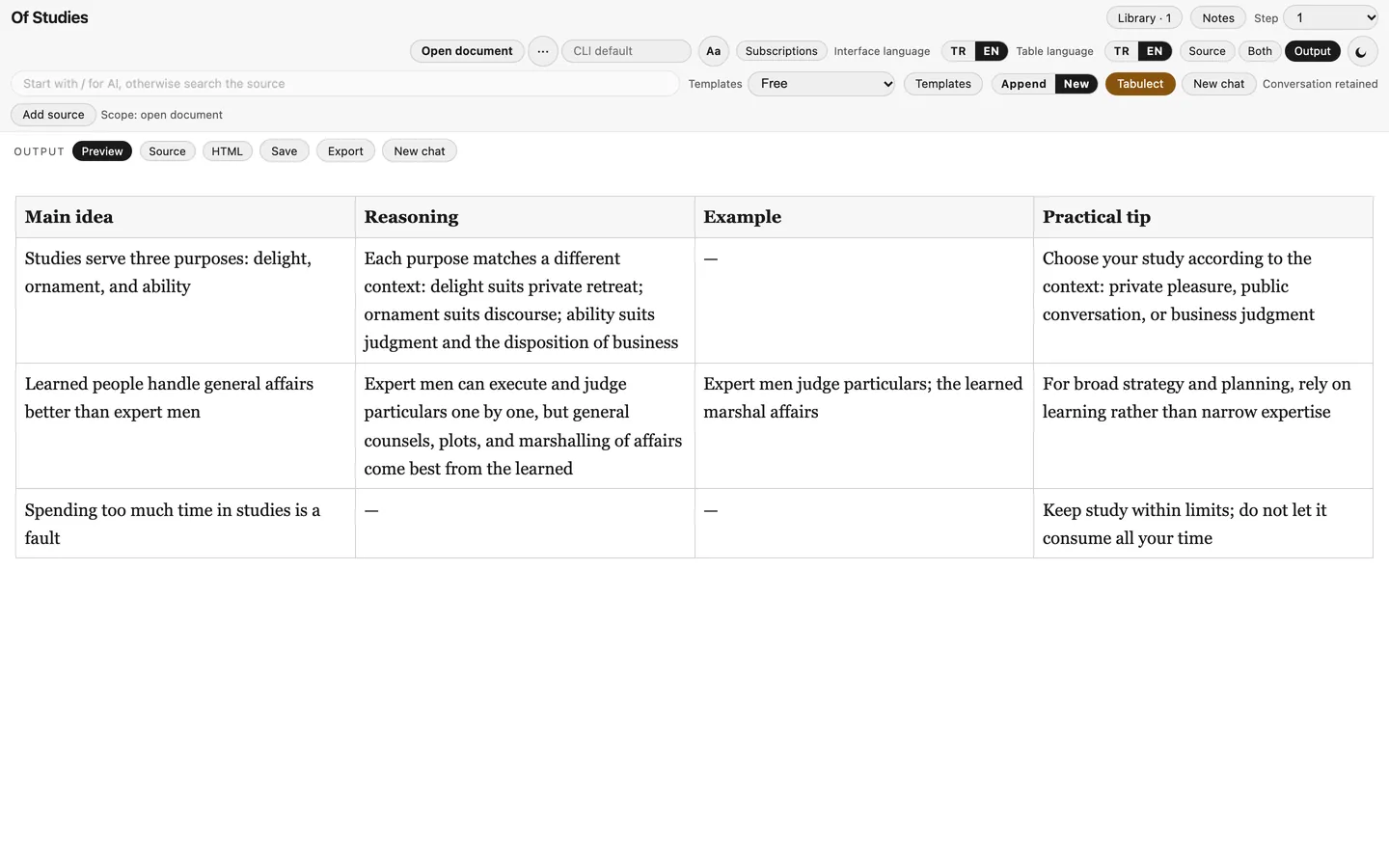
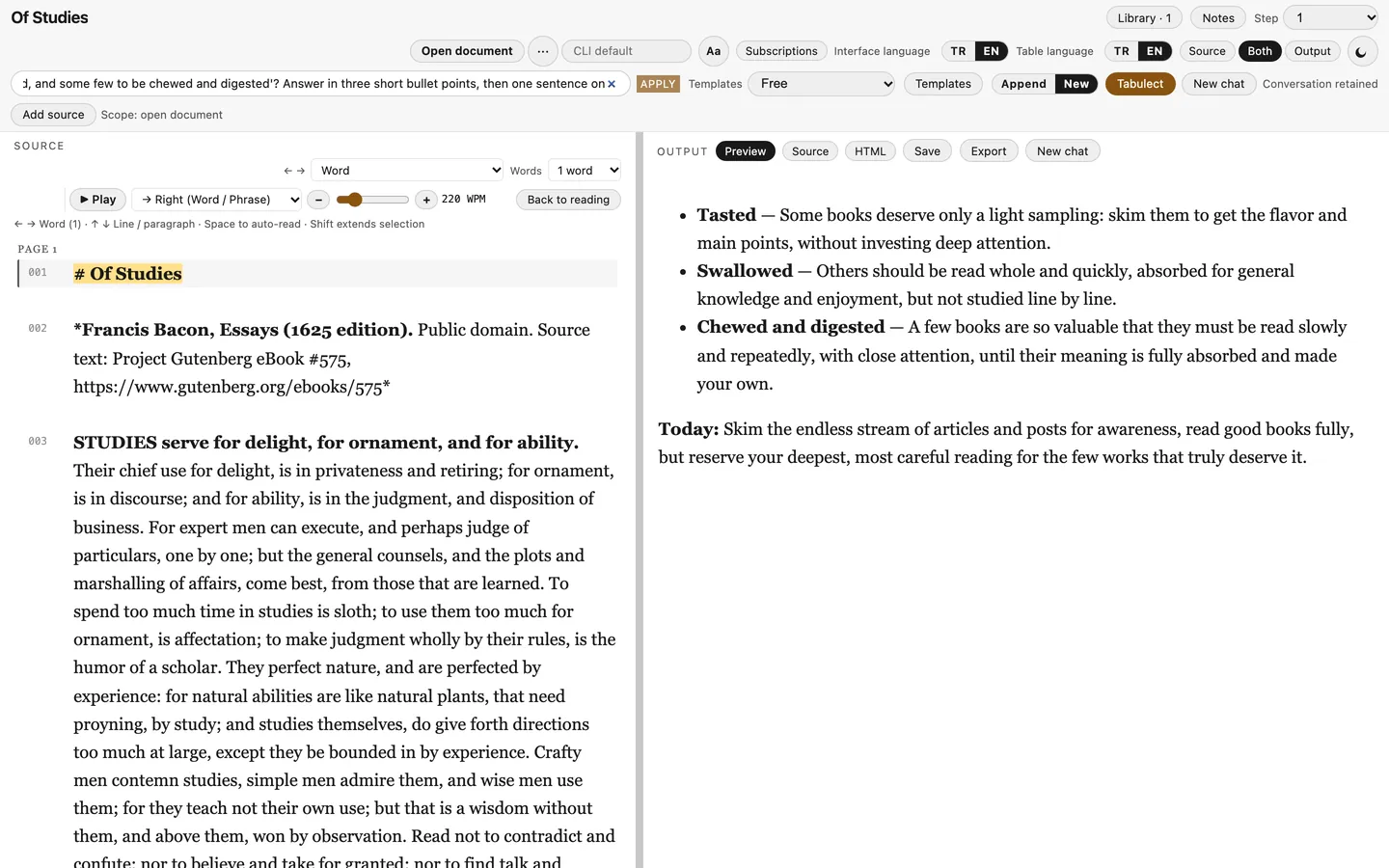
Text to table in one keystroke
Select a passage and press T (Tabulect): the default template turns it into a table. Or type a / instruction and ask for anything else.
Read in word groups
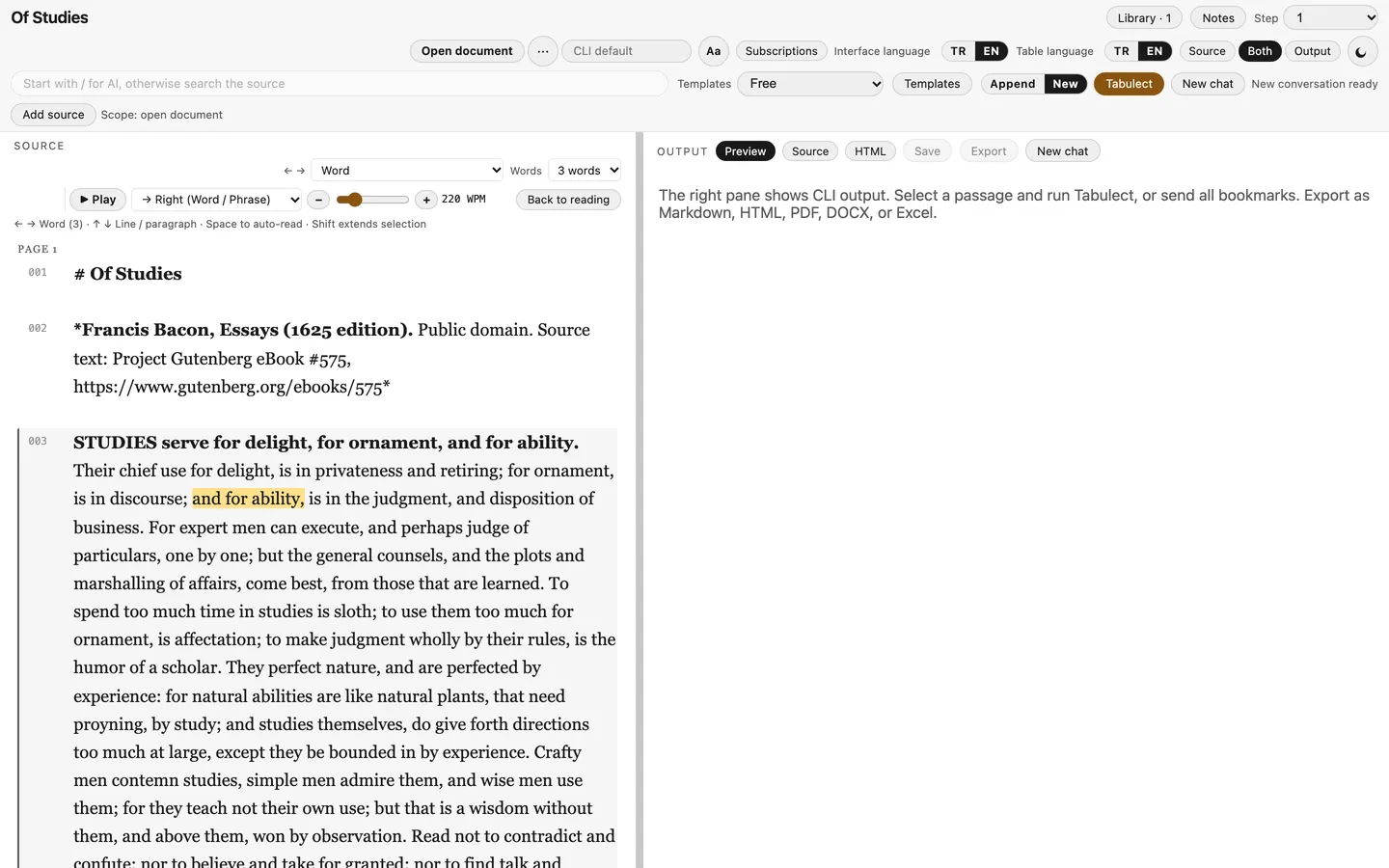
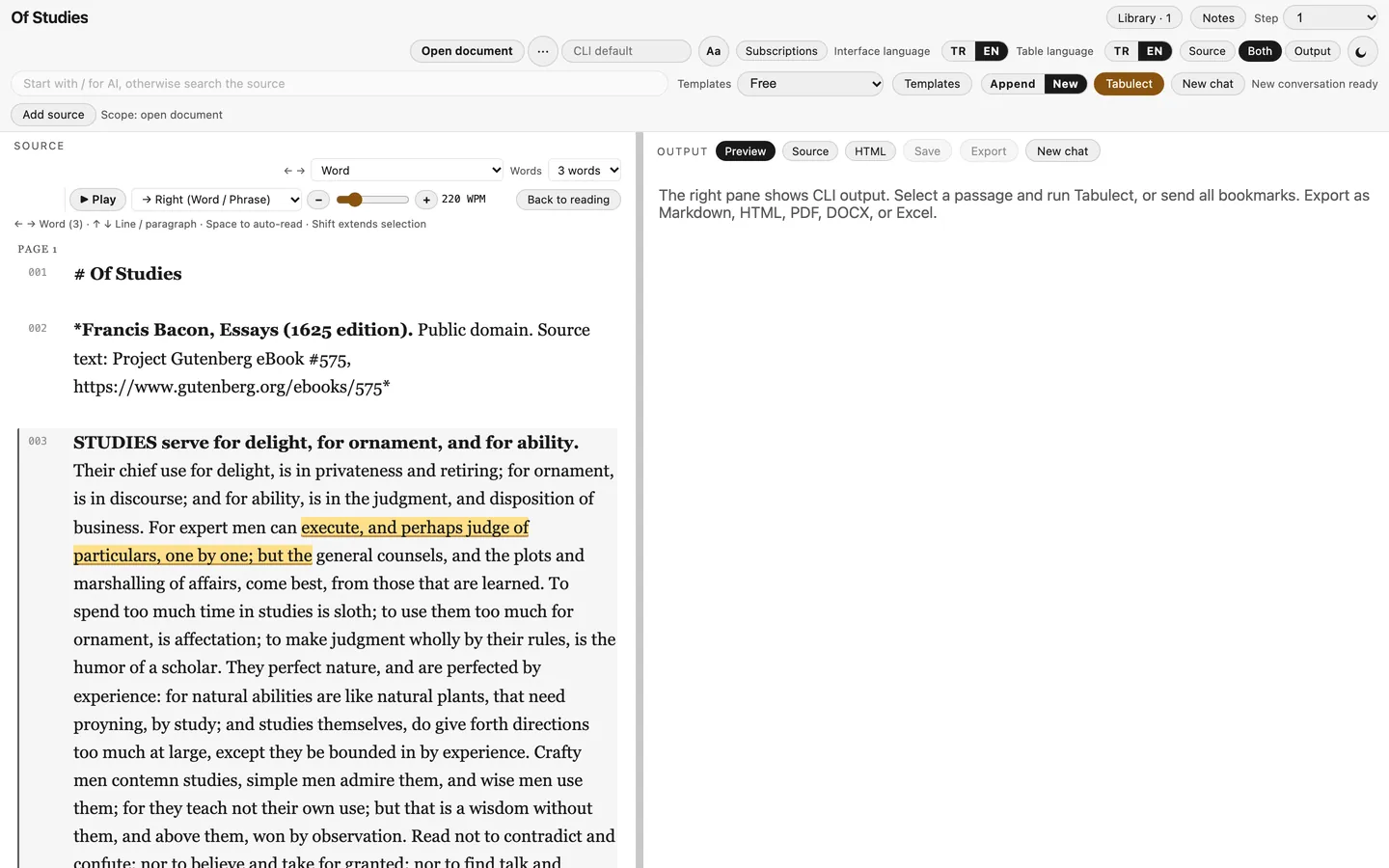
Move through the text with ← → by word (1–5 at a time) or by meaningful phrase, and with ↑ ↓ by line or paragraph.
Speed-reading flow
Press Space and the highlight advances on its own, word group by word group, at 60–900 WPM. Space again pauses exactly where you are.
Bookmark with Enter
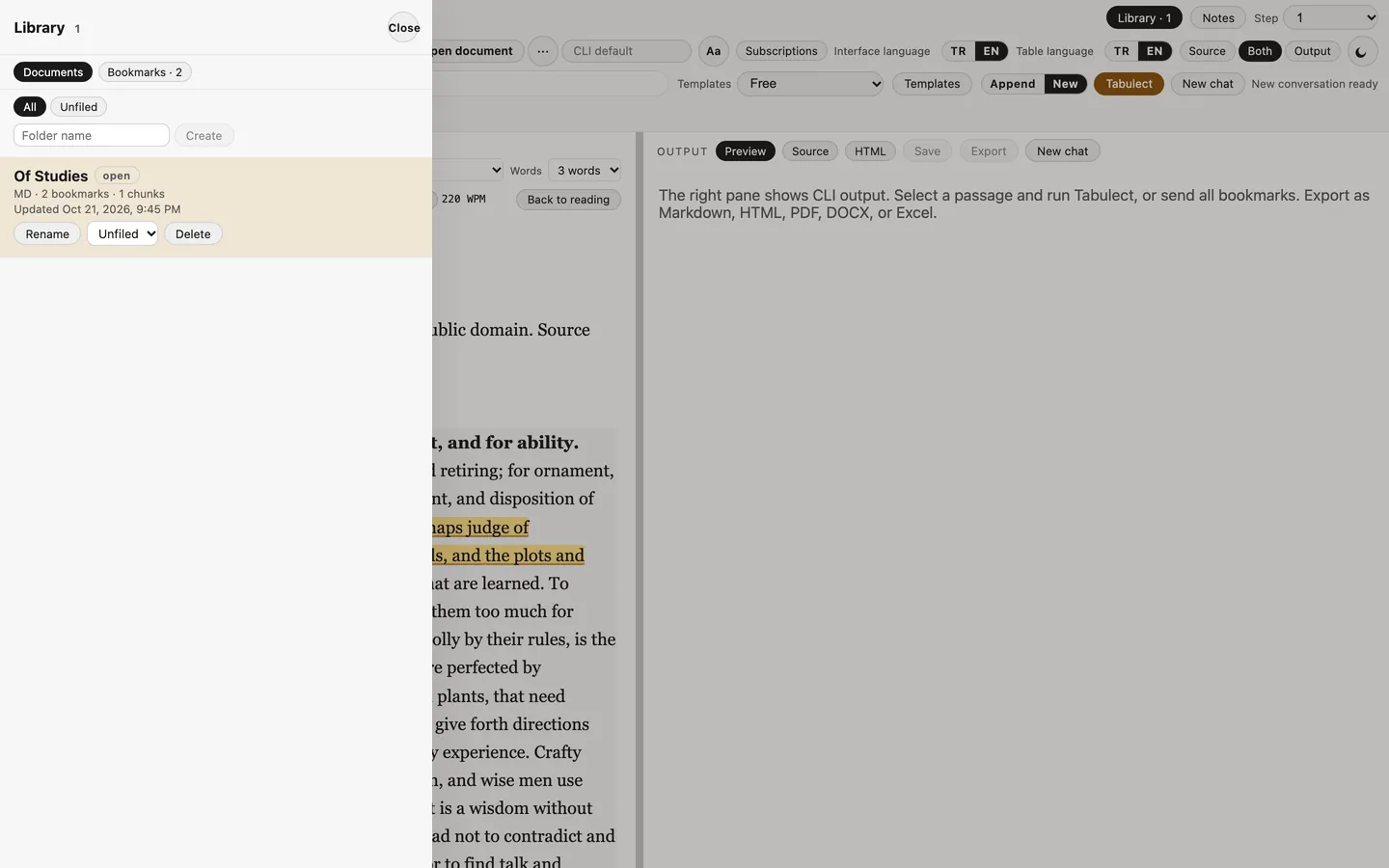
Extend the yellow highlight with Shift+arrows and press Enter. Then send all bookmarks to the AI in one go.
Ask for HTML too
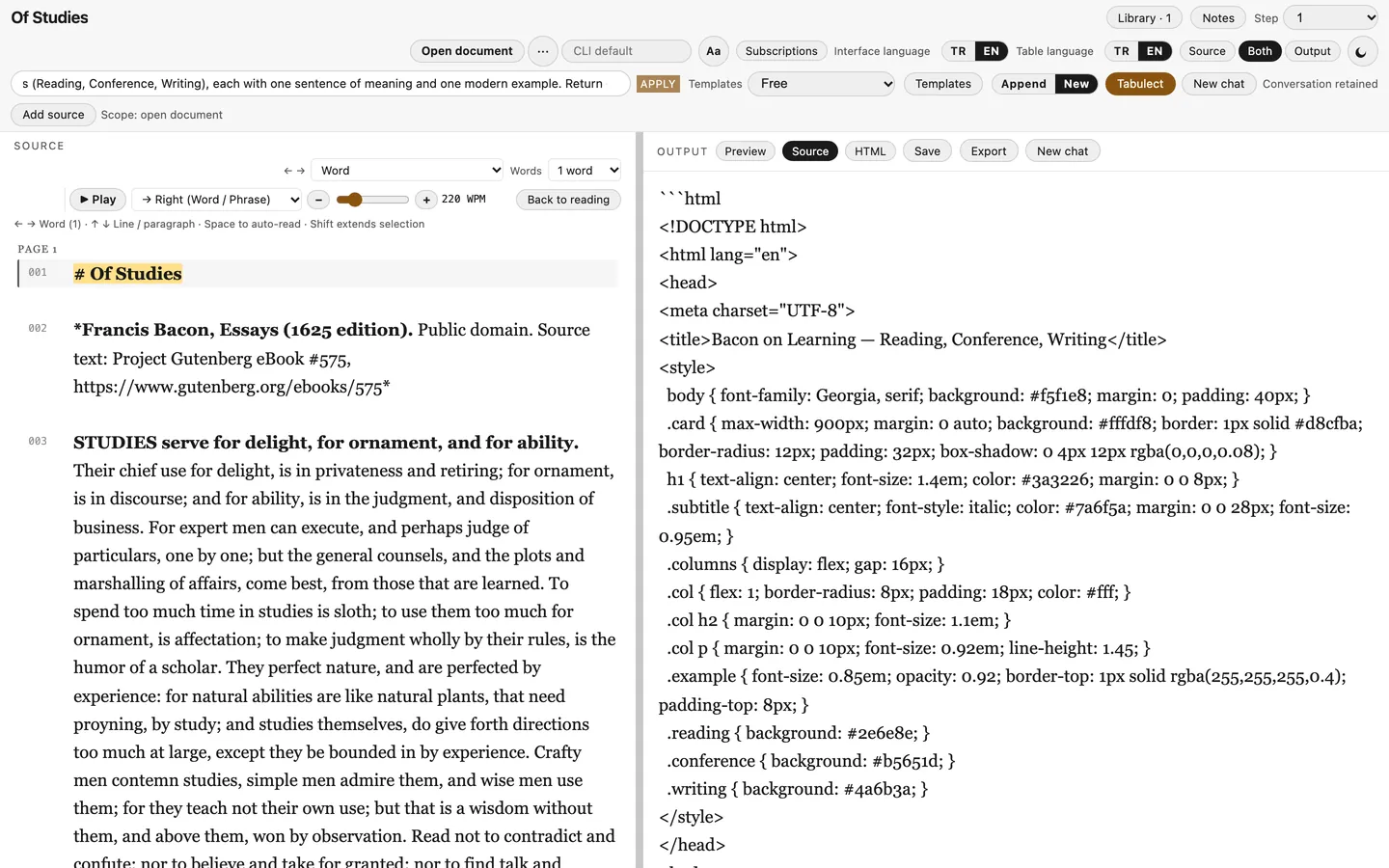
The answer can be a table, prose, a diagram or an HTML card, shown rendered in the HTML tab.
Two-pane live preview
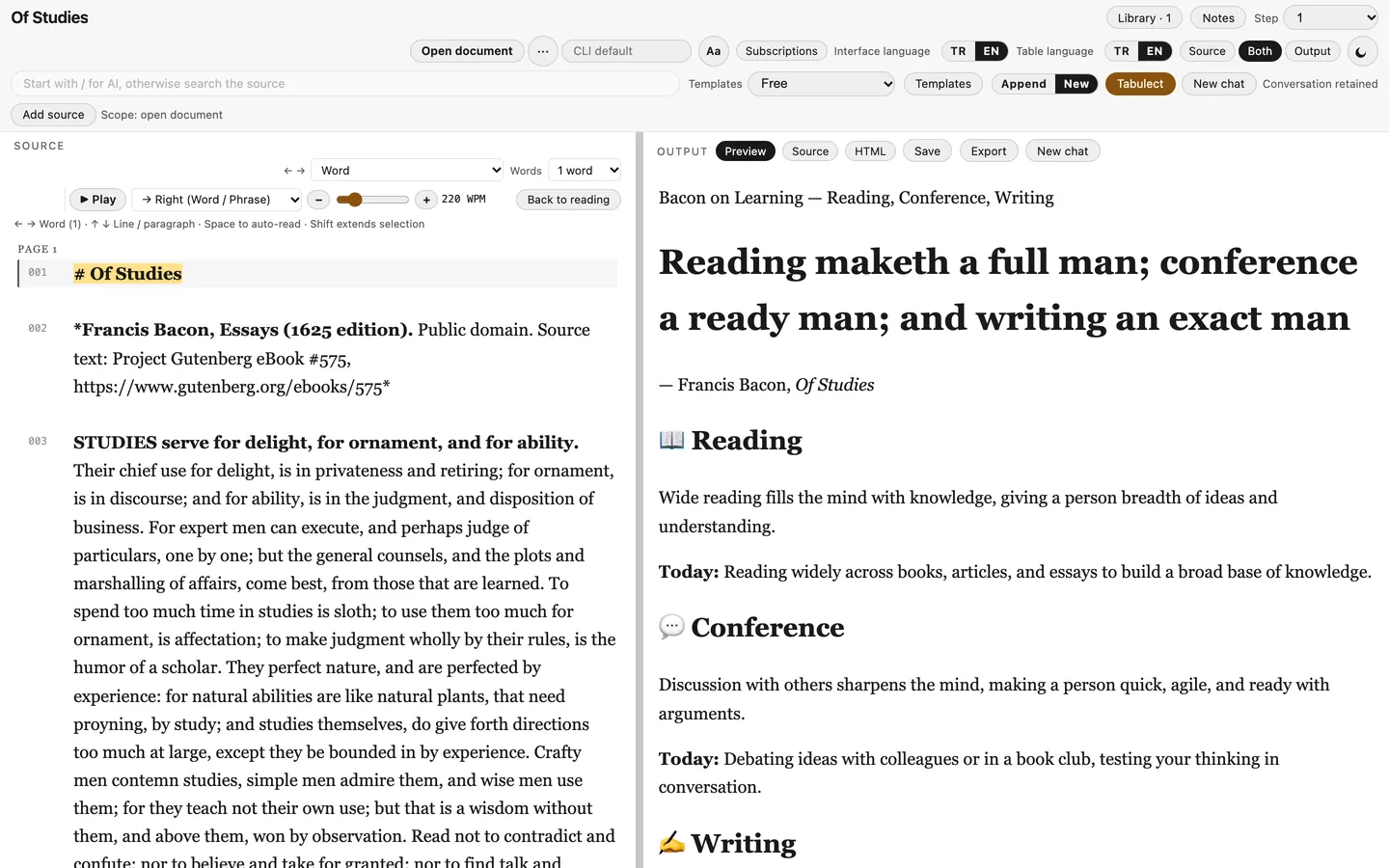
Source on the left, the rendered answer on the right: Preview, editable Source and HTML views that update as you edit.
See it in action
Recorded on the author's Mac with the apps' real interfaces. All AI output is real, from a signed-in CLI (Kimi or Gemini); only the time spent waiting for the model was cut.
Screenshots
Runs on your own AI subscription
Tabulect does not include any AI account. It talks to the official command-line tools that you install and sign in to on your own computer, using your own subscription and quota:
- ChatGPT (Codex CLI)
- Gemini (Google Antigravity CLI)
- Kimi (Kimi CLI)
- Cursor (Cursor CLI)
- Claude (Claude Code CLI, subscription login)
Requests go from your machine to your provider under your account. Nothing uses the author's accounts, no API keys are bundled or stored, and there is no Thinking Tools Lab server in between. What you can use depends on your provider plan.
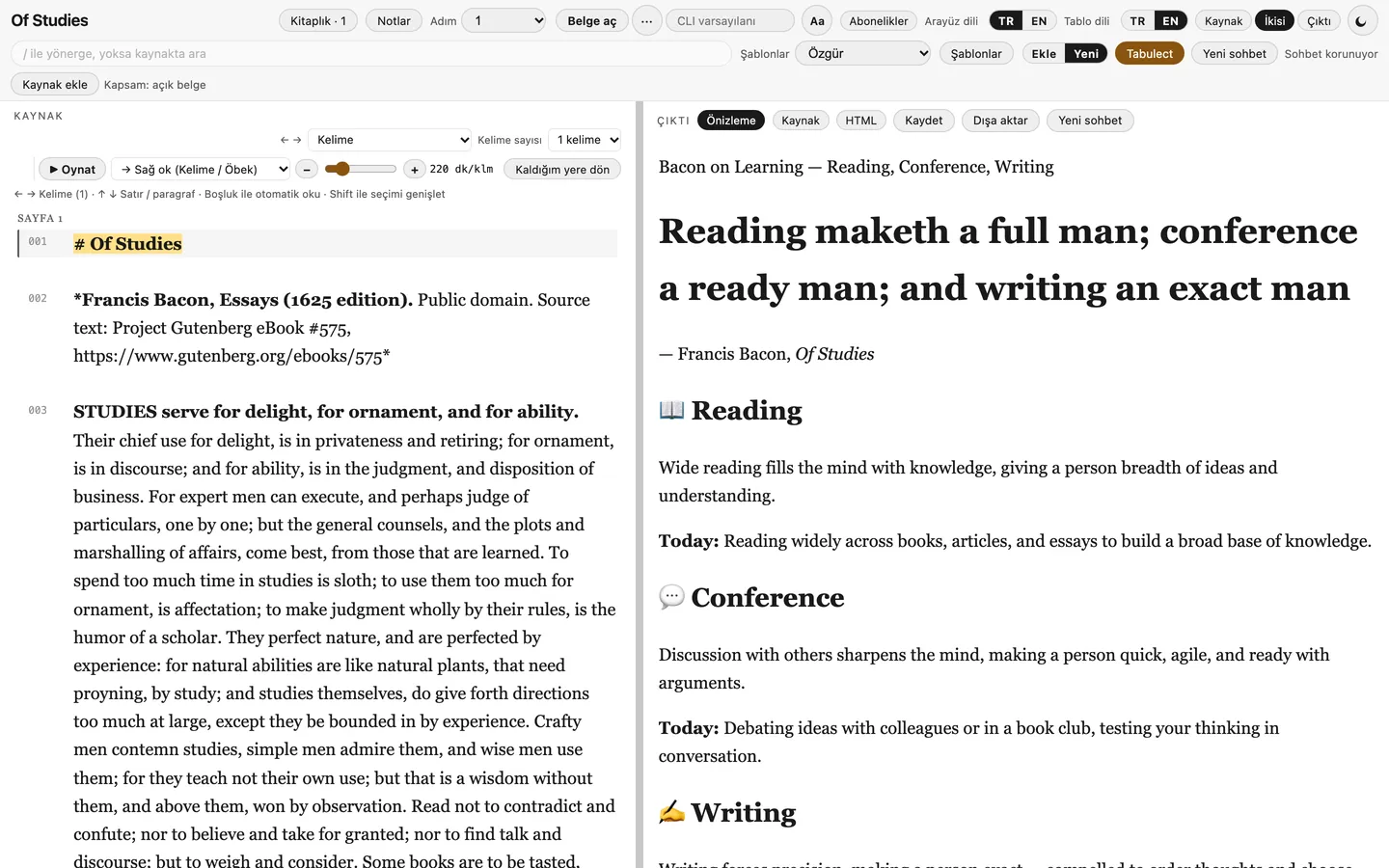
English and Turkish
Switch the interface between EN and TR at any time. The same screen in both languages:
Also included
- Opens PDF, EPUB, HTML, Markdown and DOCX; text is extracted locally, scanned PDFs can be OCR'd with free local tools you install.
- Full-document search with context, ⌘F / Ctrl+F, ⌘G / F3 for next match.
- Export to Markdown, HTML, PDF, DOCX and Excel.
- Library folders, themes, custom colours, spacing and font size.
- Never invents table rows; importing only extracts and splits the text.
- Platform
- macOS desktop app (Tauri 2). Current build scripts target Apple silicon Macs.
- AI
- On demand: reading, bookmarks, search, notes and export work without it.
- License
- Free · MIT-licensed open source · source on GitHub
- Language
- Menus in English and Turkish, with a language switch. Built-in AI prompts are in English, available in Turkish, and fully editable or replaceable with your own.
- Status
- In development.
The other thinking tools
Polyquill · Write · UnderstandFeedcairn · Read · UnderstandAll apps